

TUI-based toolkit for GitHub data analysis.







Overview
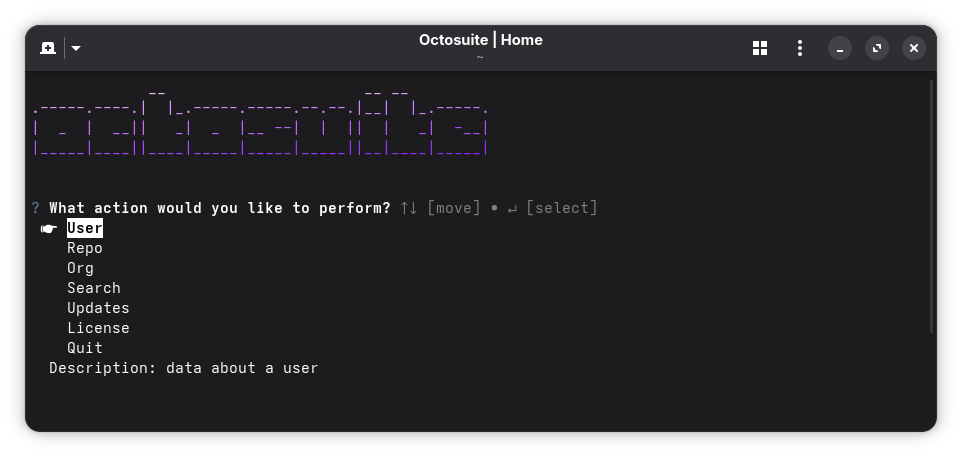
OctoSuite provides a terminal interface for exploring and exporting GitHub data. Access information about users, repositories, organizations, and search across GitHub's platform.
Features
See details
- User - Get user data
- Profile
- Repositories
- Subscriptions
- Starred
- Followers
- Following
- Organizations
- Gists
- Events
- Received Events
- Repository - Get repository data
- Profile
- Forks
- Issues
- Issue Events
- Events
- Assignees
- Branches
- Tags
- Languages
- Stargazers
- Subscribers
- Commits
- Comments
- Releases
- Deployments
- Labels
- Organisation - Get organisation data
- Profile
- Repositories
- Events
- Hooks
- Issues
- Members
- Search - Search GitHub
- Repositories
- Users
- Commits
- Issues
- Topics
- Export - Export data
- JSON
- CSV
- HTML
Installation
PyPI
pip install octosuite
Build from source
# Clone repository
git clone https://github.com/bellingcat/octosuite.git

# Move to octosuite directory
cd octosuite

# Build and install (uses uv)
make install

# If you dont have uv installed, you can install directly with pip:
pip install .

# Run
octosuite
Note
You can then run octosuite with command
octosuite
Usage
Navigate using UPDOWN and ENTER to select options. In the export menu, you should use SPACE to check the format you want.
The interface guides you through selecting a data source and choosing what information to retrieve. Preview the results and optionally export them in your preferred format.
License
MIT License
See the LICENSE file for details. License information is also available through the application's main menu.
Contributing
Contributions are welcome. Please submit pull requests or open issues for bugs and feature requests. Good luck!