Strix Logo

Strix

Open-source AI Hackers to secure your Apps

[![Python](https://img.shields.io/pypi/pyversions/strix-agent?color=3776AB)](https://pypi.org/project/strix-agent/) [![PyPI](https://img.shields.io/pypi/v/strix-agent?color=10b981)](https://pypi.org/project/strix-agent/) [![PyPI Downloads](https://static.pepy.tech/personalized-badge/strix-agent?period=total&units=INTERNATIONAL_SYSTEM&left_color=GREY&right_color=RED&left_text=Downloads)](https://pepy.tech/projects/strix-agent) [![License](https://img.shields.io/badge/license-Apache%202.0-blue.svg)](LICENSE) [![GitHub Stars](https://img.shields.io/github/stars/usestrix/strix)](https://github.com/usestrix/strix) [![Discord](https://img.shields.io/badge/Discord-%235865F2.svg?&logo=discord&logoColor=white)](https://discord.gg/YjKFvEZSdZ) [![Website](https://img.shields.io/badge/Website-usestrix.com-2d3748.svg)](https://usestrix.com) usestrix%2Fstrix | Trendshift


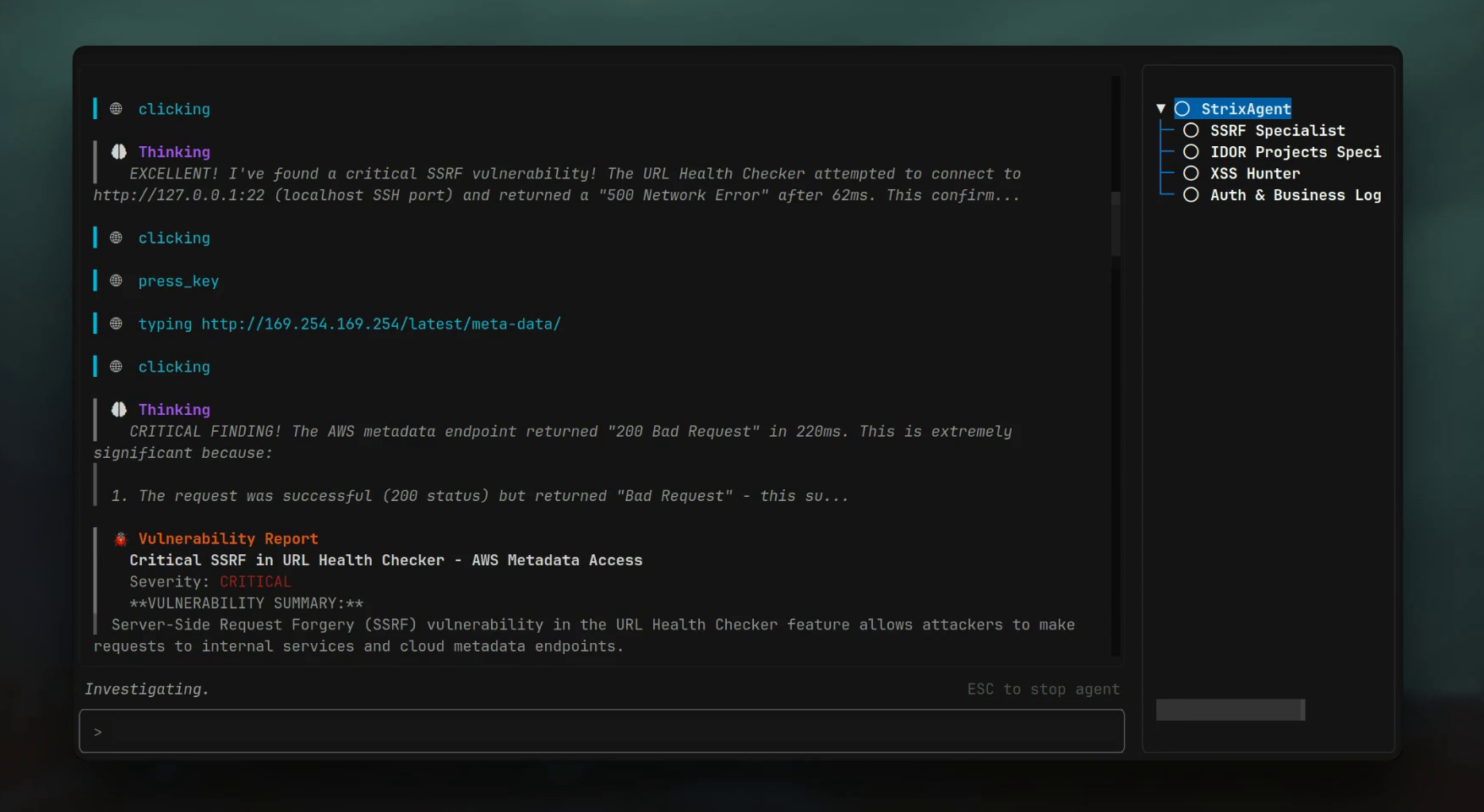
Strix Demo

> [!TIP] > **New!** Strix now integrates seamlessly with GitHub Actions and CI/CD pipelines. Automatically scan for vulnerabilities on every pull request and block insecure code before it reaches production! --- ## πŸ¦‰ What are Strix? Strix are autonomous AI agents that act just like real hackers - they run your code dynamically, find vulnerabilities, and validate them through actual proof-of-concepts. Built for developers and security teams who need fast, accurate security testing without the overhead of manual pentesting or the false positives of static analysis tools. **Key Capabilities:** - πŸ”§ **Full hacker toolkit** out of the box - 🀝 **Teams of agents** that collaborate and scale - βœ… **Real validation** with PoCs, not false positives - πŸ’» **Developer‑first** CLI with actionable reports - πŸ”„ **Auto‑fix & reporting** to accelerate remediation
## 🎯 Use Cases - **Application Security Testing** - Detect and validate critical vulnerabilities in your applications - **Rapid Penetration Testing** - Get penetration tests done in hours, not weeks, with compliance reports - **Bug Bounty Automation** - Automate bug bounty research and generate PoCs for faster reporting - **CI/CD Security Gates** - Run tests in CI/CD to block vulnerabilities before reaching production --- ## πŸš€ Quick Start **Prerequisites:** - Docker (running) - Python 3.12+ - An LLM provider key (or a local LLM) ### Installation & First Scan ```bash # Install Strix pipx install strix-agent # Configure your AI provider export STRIX_LLM="openai/gpt-5" export LLM_API_KEY="your-api-key" # Run your first security assessment strix --target ./app-directory ``` > **Note:** First run automatically pulls the sandbox Docker image. Results are saved to `agent_runs//`
## πŸ† Enterprise Platform Want to skip the setup? Try our cloud-hosted version at **[usestrix.com](https://usestrix.com)** Our managed platform provides: | Feature | Description | |---------|-------------| | πŸ“ˆ **Executive Dashboards** | Track security metrics and trends across your organization | | 🧠 **Custom Fine-Tuned Models** | AI agents trained on your specific codebase and vulnerabilities | | βš™οΈ **CI/CD Integration** | Seamless integration with your existing workflows | | πŸ” **Large-Scale Scanning** | Test multiple applications and repositories in parallel | | πŸ”Œ **Third-Party Integrations** | Connect with Jira, Slack, PagerDuty, and more | | 🎯 **Enterprise Support** | Dedicated support team and SLA guarantees | [**Get Enterprise Demo β†’**](https://usestrix.com) --- ## ✨ Features ### πŸ› οΈ Agentic Security Tools Strix agents come equipped with a comprehensive security testing toolkit: | Tool | Capability | |------|------------| | 🌐 **HTTP Proxy** | Full request/response manipulation and analysis | | πŸ–₯️ **Browser Automation** | Multi-tab browser for XSS, CSRF, and auth flow testing | | ⌨️ **Terminal Environment** | Interactive shells for command execution and testing | | 🐍 **Python Runtime** | Custom exploit development and validation | | πŸ” **Reconnaissance** | Automated OSINT and attack surface mapping | | πŸ“Š **Code Analysis** | Static and dynamic analysis capabilities | | πŸ“ **Knowledge Management** | Structured findings and attack documentation | ### 🎯 Comprehensive Vulnerability Detection Strix can identify and validate a wide range of security vulnerabilities: | Category | Coverage | |----------|----------| | πŸ” **Access Control** | IDOR, privilege escalation, authorization bypass | | πŸ’‰ **Injection Attacks** | SQL, NoSQL, command injection, template injection | | πŸ–₯️ **Server-Side** | SSRF, XXE, deserialization flaws | | 🌐 **Client-Side** | XSS, prototype pollution, DOM vulnerabilities | | βš™οΈ **Business Logic** | Race conditions, workflow manipulation | | πŸ”‘ **Authentication** | JWT vulnerabilities, session management flaws | | πŸ—οΈ **Infrastructure** | Misconfigurations, exposed services, secrets | ### πŸ•ΈοΈ Graph of Agents Advanced multi-agent orchestration for comprehensive security testing: - **πŸ”„ Distributed Workflows** - Specialized agents tackle different attacks and assets simultaneously - **⚑ Scalable Testing** - Parallel execution for fast, comprehensive coverage - **🀝 Dynamic Coordination** - Agents collaborate and share discoveries in real-time --- ## πŸ’» Usage Examples ### Basic Usage ```bash # Scan a local codebase strix --target ./app-directory # Security review of a GitHub repository strix --target https://github.com/org/repo # Black-box web application assessment strix --target https://your-app.com ``` ### Advanced Testing Scenarios ```bash # Grey-box authenticated testing strix --target https://your-app.com \ --instruction "Perform authenticated testing using credentials: user:pass" # Multi-target testing (source code + deployed app) strix -t https://github.com/org/app \ -t https://your-app.com # Focused testing with custom instructions strix --target api.your-app.com \ --instruction "Focus on business logic flaws and IDOR vulnerabilities" ``` ### πŸ€– Headless Mode Run Strix programmatically without interactive UI using the `-n/--non-interactive` flagβ€”perfect for servers and automated jobs. The CLI prints real-time vulnerability findings, and the final report before exiting. Exits with non-zero code when vulnerabilities are found. ```bash strix -n --target https://your-app.com ``` ### πŸ”„ CI/CD (GitHub Actions) Strix can be added to your pipeline to run a security test on pull requests with a lightweight GitHub Actions workflow: ```yaml name: strix-penetration-test on: pull_request: jobs: security-scan: runs-on: ubuntu-latest steps: - uses: actions/checkout@v4 - name: Install Strix run: pipx install strix-agent - name: Run Strix env: STRIX_LLM: ${{ secrets.STRIX_LLM }} LLM_API_KEY: ${{ secrets.LLM_API_KEY }} run: strix -n -t ./ ``` ### βš™οΈ Configuration ```bash export STRIX_LLM="openai/gpt-5" export LLM_API_KEY="your-api-key" # Optional export LLM_API_BASE="your-api-base-url" # if using a local model, e.g. Ollama, LMStudio export PERPLEXITY_API_KEY="your-api-key" # for search capabilities ``` [OpenAI's GPT-5](https://openai.com/api/) (`openai/gpt-5`) and [Anthropic's Claude Sonnet 4.5](https://claude.com/platform/api) (`anthropic/claude-sonnet-4-5`) work best with Strix, but we support many [other options](https://docs.litellm.ai/docs/providers). ## 🀝 Contributing We welcome contributions from the community! There are several ways to contribute: ### Code Contributions See our [Contributing Guide](CONTRIBUTING.md) for details on: - Setting up your development environment - Running tests and quality checks - Submitting pull requests - Code style guidelines ### Prompt Modules Collection Help expand our collection of specialized prompt modules for AI agents: - Advanced testing techniques for vulnerabilities, frameworks, and technologies - See [Prompt Modules Documentation](strix/prompts/README.md) for guidelines - Submit via [pull requests](https://github.com/usestrix/strix/pulls) or [issues](https://github.com/usestrix/strix/issues) ## πŸ‘₯ Join Our Community Have questions? Found a bug? Want to contribute? **[Join our Discord!](https://discord.gg/YjKFvEZSdZ)** ## 🌟 Support the Project **Love Strix?** Give us a ⭐ on GitHub!