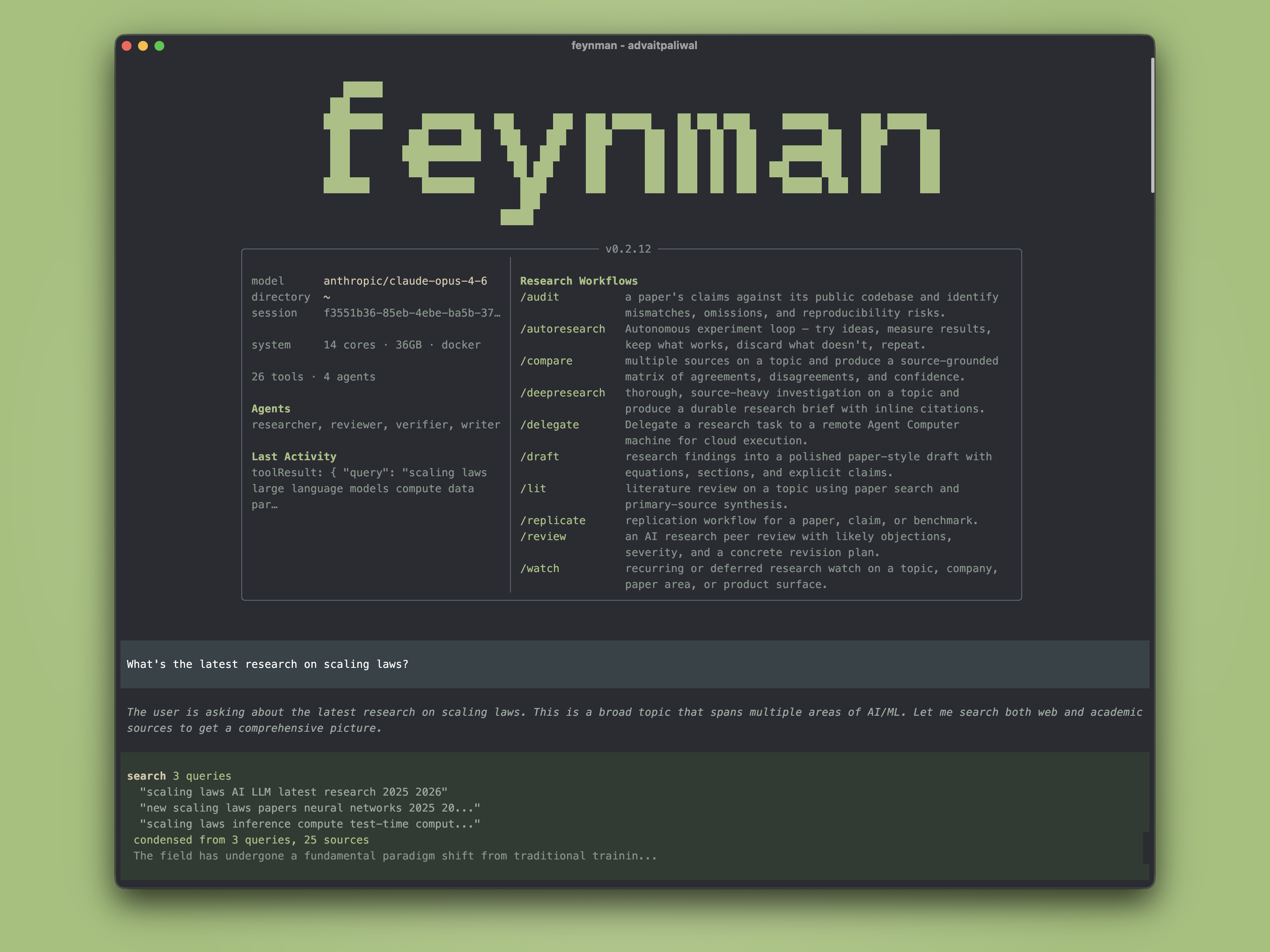
---
### Installation
**macOS / Linux:**
```bash
curl -fsSL https://feynman.is/install | bash
```
**Windows (PowerShell):**
```powershell
irm https://feynman.is/install.ps1 | iex
```
The one-line installer fetches the latest tagged release. To pin a version, pass it explicitly, for example `curl -fsSL https://feynman.is/install | bash -s -- 0.2.27`.
The installer downloads a standalone native bundle with its own Node.js runtime.
To upgrade the standalone app later, rerun the installer. `feynman update` only refreshes installed Pi packages inside Feynman's environment; it does not replace the standalone runtime bundle itself.
To uninstall the standalone app, remove the launcher and runtime bundle, then optionally remove `~/.feynman` if you also want to delete settings, sessions, and installed package state. If you also want to delete alphaXiv login state, remove `~/.ahub`. See the installation guide for platform-specific paths.
Local models are supported through the setup flow. For LM Studio, run `feynman setup`, choose `LM Studio`, and keep the default `http://localhost:1234/v1` unless you changed the server port. For LiteLLM, choose `LiteLLM Proxy` and keep the default `http://localhost:4000/v1`. For Ollama or vLLM, choose `Custom provider (baseUrl + API key)`, use `openai-completions`, and point it at the local `/v1` endpoint.
Feynman uses Pi's own runtime hooks for context hygiene: Pi compaction/retry settings are seeded by default, `context_report` exposes the current Pi context usage to the model, oversized alphaXiv tool returns spill to `outputs/.cache/`, oversized custom/subagent returns spill to `outputs/.runs/`, and a bounded resume packet is injected from `outputs/.plans/`, `outputs/.state/`, and `CHANGELOG.md` when those files exist. Automatic session logging writes JSONL snippets to `notes/feynman-autolog/`; set `FEYNMAN_AUTO_LOG=off` to disable it or `FEYNMAN_AUTO_LOG=full` for full text. Feynman also locks new plan slugs under `outputs/.state/` to prevent concurrent workflow collisions and garbage-collects stale managed caches on startup.
### Skills Only
If you want just the research skills without the full terminal app:
**macOS / Linux:**
```bash
curl -fsSL https://feynman.is/install-skills | bash
```
**Windows (PowerShell):**
```powershell
irm https://feynman.is/install-skills.ps1 | iex
```
That installs the skill library into `~/.codex/skills/feynman`.
For a repo-local install instead:
**macOS / Linux:**
```bash
curl -fsSL https://feynman.is/install-skills | bash -s -- --repo
```
**Windows (PowerShell):**
```powershell
& ([scriptblock]::Create((irm https://feynman.is/install-skills.ps1))) -Scope Repo
```
That installs into `.agents/skills/feynman` under the current repository.
These installers download the bundled `skills/` and `prompts/` trees plus the repo guidance files referenced by those skills. They do not install the Feynman terminal, bundled Node runtime, auth storage, or Pi packages.
---
### What you type → what happens
```
$ feynman "what do we know about scaling laws"
→ Searches papers and web, produces a cited research brief
$ feynman deepresearch "mechanistic interpretability"
→ Multi-agent investigation with parallel researchers, synthesis, verification
$ feynman lit "RLHF alternatives"
→ Literature review with consensus, disagreements, open questions
$ feynman audit 2401.12345
→ Compares paper claims against the public codebase
$ feynman replicate "chain-of-thought improves math"
→ Replicates experiments on local or cloud GPUs
```
---
### Workflows
Ask naturally or use slash commands as shortcuts.
| Command | What it does |
| --- | --- |
| `/deepresearch ` | Source-heavy multi-agent investigation |
| `/lit ` | Literature review from paper search and primary sources |
| `/review ` | Simulated peer review with severity and revision plan |
| `/audit ` | Paper vs. codebase mismatch audit |
| `/replicate ` | Replicate experiments on local or cloud GPUs |
| `/compare ` | Source comparison matrix |
| `/draft ` | Paper-style draft from research findings |
| `/autoresearch ` | Autonomous experiment loop |
| `/watch ` | Recurring research watch |
| `/outputs` | Browse all research artifacts |
---
### Agents
Four bundled research agents, dispatched automatically.
- **Researcher** — gather evidence across papers, web, repos, docs
- **Reviewer** — simulated peer review with severity-graded feedback
- **Writer** — structured drafts from research notes
- **Verifier** — inline citations, source URL verification, dead link cleanup
---
### Skills & Tools
- **[AlphaXiv](https://www.alphaxiv.org/)** — paper search, Q&A, code reading, annotations (via `alpha` CLI)
- **Docker** — isolated container execution for safe experiments on your machine
- **Web search** — Gemini or Perplexity, zero-config default
- **Session search** — indexed recall across prior research sessions
- **Preview** — browser and PDF export of generated artifacts
- **Modal** — serverless GPU compute for burst training and inference
- **RunPod** — persistent GPU pods with SSH access for long-running experiments
---
### How it works
Built on [Pi](https://github.com/badlogic/pi-mono) for the agent runtime, [alphaXiv](https://www.alphaxiv.org/) for paper search and analysis, and CLI tools for compute and execution. Capabilities are delivered as [Pi skills](https://github.com/badlogic/pi-skills) — Markdown instruction files synced to `~/.feynman/agent/skills/` on startup. Every output is source-grounded — claims link to papers, docs, or repos with direct URLs.
---
### Star History
---
### Contributing
See [CONTRIBUTING.md](CONTRIBUTING.md) for the full contributor guide.
```bash
git clone https://github.com/getcompanion-ai/feynman.git
cd feynman
nvm use || nvm install
npm install
npm test
npm run typecheck
npm run build
```
[Docs](https://feynman.is/docs) · [MIT License](LICENSE)