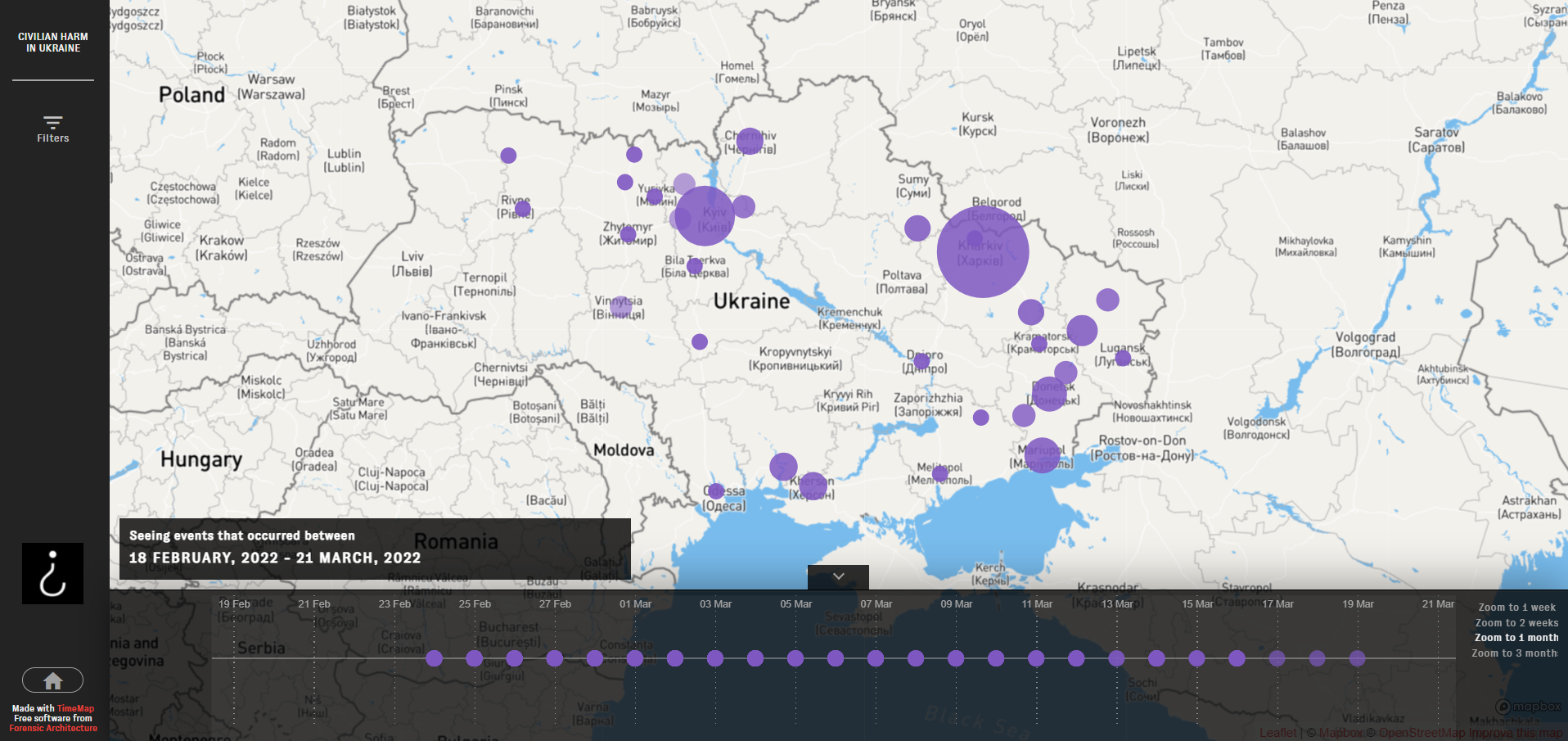
Civilian Harm in Ukraine TimeMap
Explore it in ukraine.bellingcat.com
Download/integrate the data from here (regularly updated dataset)
TimeMap is a tool for exploration, monitoring and classification of incidents in time and space, originally forked from forensic-architecture/timemap.
## Development
* `npm install` to setup
* adjust any local configs in [config.js](config.js)
* `CONFIG=config.js npm run dev` or `npm run dev` if the file is named config.js
* For more info visit the [original repo](https://github.com/forensic-architecture/timemap)
## Deployment
This project is now living in github pages and the API has switched to auto-updated S3 files.
Access it at https://bellingcat-embeds.ams3.cdn.digitaloceanspaces.com/production/ukr/timemap/api.json
Release with `npm run deploy`.
## Contributing
Please read our [Contribution Guide](./CONTRIBUTING.md) and check our [Issues Page](https://github.com/bellingcat/ukraine-timemap/issues) for desired contributions, and feel free to suggest your own.
## Configurations
Documentation of config.js
* `SERVER_ROOT` - points to the API base address
* `XXXX_EXT` - points to the respective JSONs of the data, for events, sources, and associations
* `API_DATA` - S3 file address that can be downloaded or integrated into external apps/visualizations
* `DATE_FMT` and `TIME_FMT` - how to consume the events' date/time from the API
* `store.app.map` - configures the initial map view and the UX limits
* `store.app.cluster` - configures how clusters/bubbles are grouped into larger clusters, larger `radius` means bigger cluster bubbles
* `store.app.timeline` - configure timeline ranges, zoom level options, and default range
* `store.app.intro` - the intro panel that shows on start
* `store.app.cover` - configuration for the full page cover, the `description` is a list of markdown entities, can also contain html
* `store.ui.colors` and `store.ui.maxNumOfColors` are applied to filters, as they are selected
Easiest way to deploy the static files is through
* `nvm use 16`
* `npm run build` (rather: `CI=false npm run build`)
* copy the files to your server, for example to `/var/www/html`